
Getting started and your plan
Everything starts in your Odoo. There is no second login: Tieroo opens from Settings, with your company's details already filled in.
- Check that your company in Odoo has its VAT number and country (Settings → Companies). Then, as an administrator, open Settings → Tieroo and press Start with Tieroo. Odoo asks you to accept the Tieroo terms of service and data processing agreement.
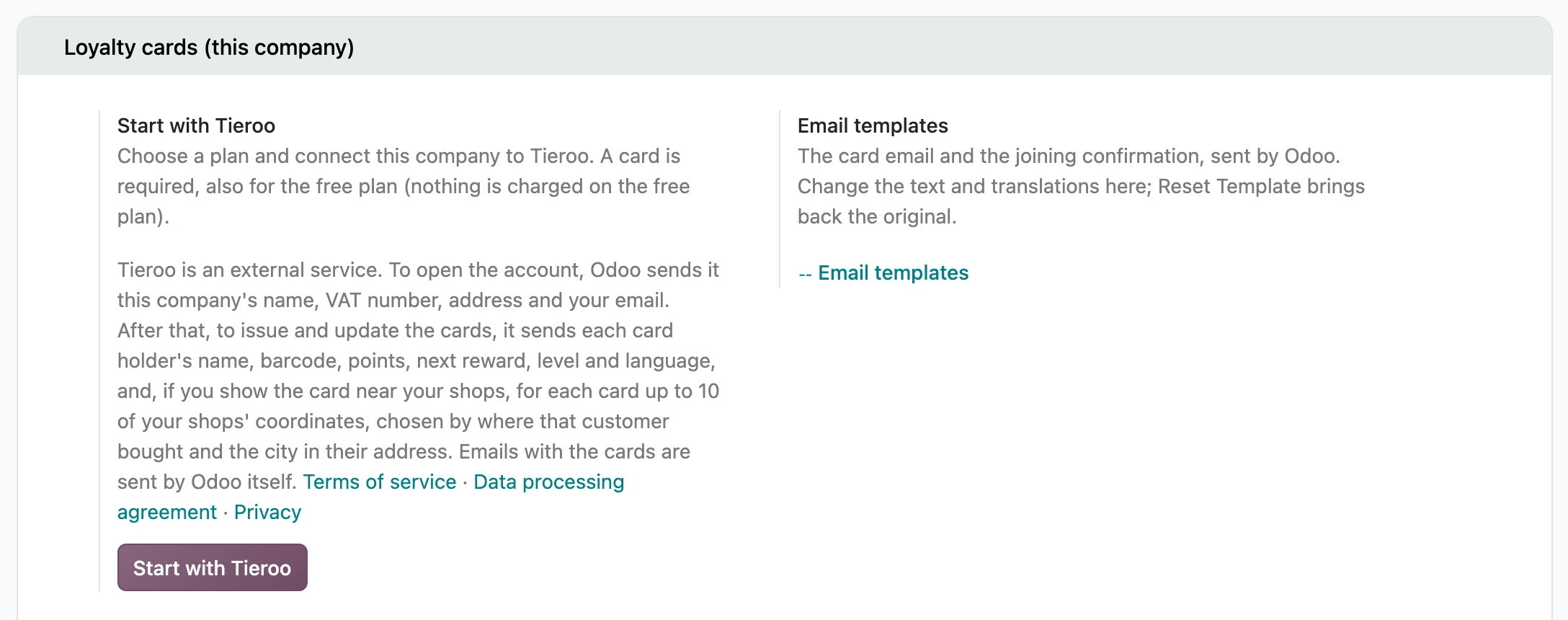
- The plan page opens with your company's name, VAT number and address from Odoo. Choose monthly or yearly (two months free) and the plan for the number of cards you expect.
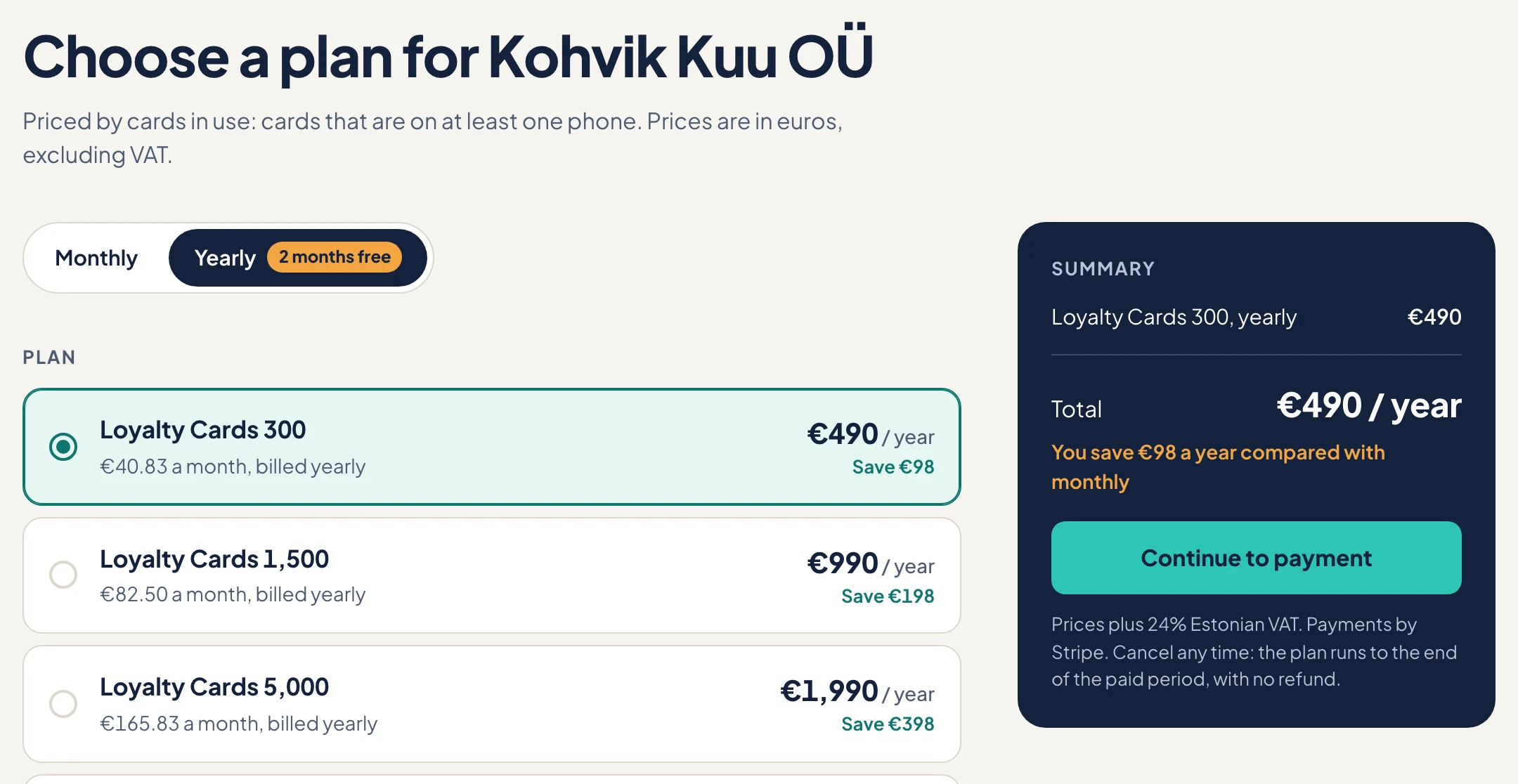
- Pay through Stripe. The free plan takes a card too, and nothing is charged. Stripe checks your VAT number in the EU's VIES, which can take a minute.
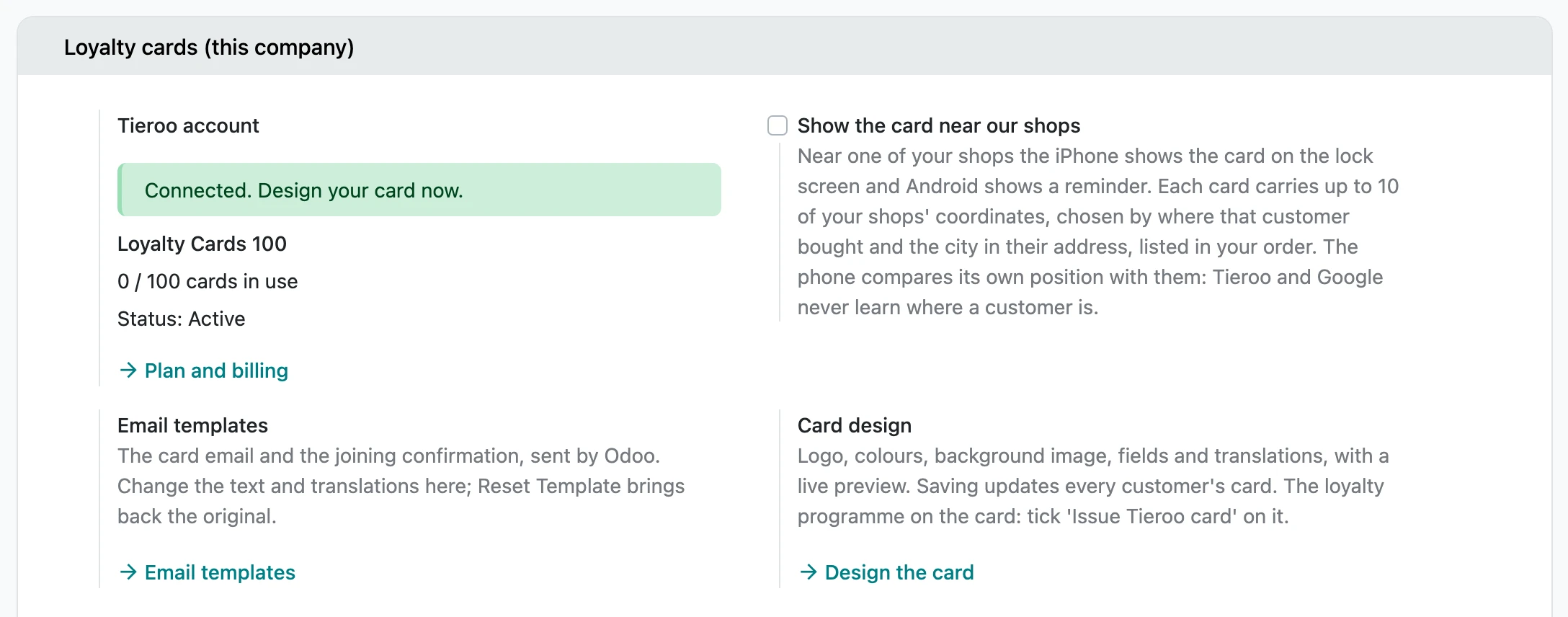
- Back in Odoo, Tieroo is connected. Odoo collects its key by itself: there is nothing to copy.
Plans
You pay for cards in use: a card counts when it is on at least one phone, once however many devices it is on. Cards that were sent but never added to a wallet do not count. The free plan covers 100 cards with no time limit; the prices of the bigger plans are on tieroo.com.
Prices exclude VAT. Estonian companies pay 24%; other EU businesses with a VAT number pay none (reverse charge).
What comes next
Set up the loyalty programme, design the card, then let your customers join. Changing or cancelling the plan is in Account and billing.