
Customer Levels
Customer Levels is the paid add-on. Spend in a customer's personal 12-month period gives a level, such as Bronze, Silver or Gold, and each level has its own Odoo pricelist. The card shows the level and what keeps it.
Setting up the levels
- Open Point of Sale → Configuration → Customer Levels. Add each level with the spend it starts from, the pricelist it gives, and whether it is for private customers (B2C) or companies (B2B). Spend is paid POS orders and posted customer invoices, taxes included; refunds subtract.
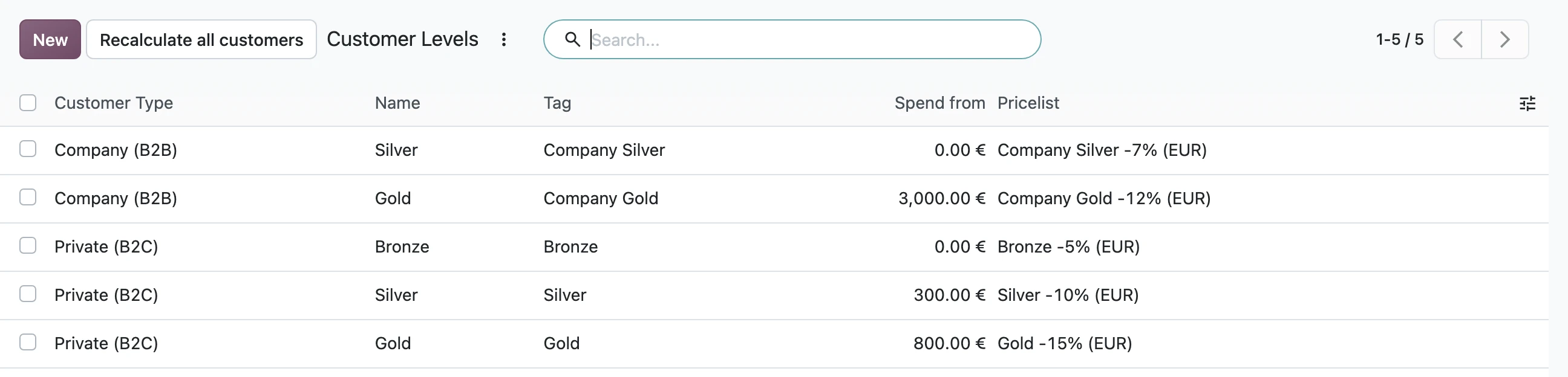
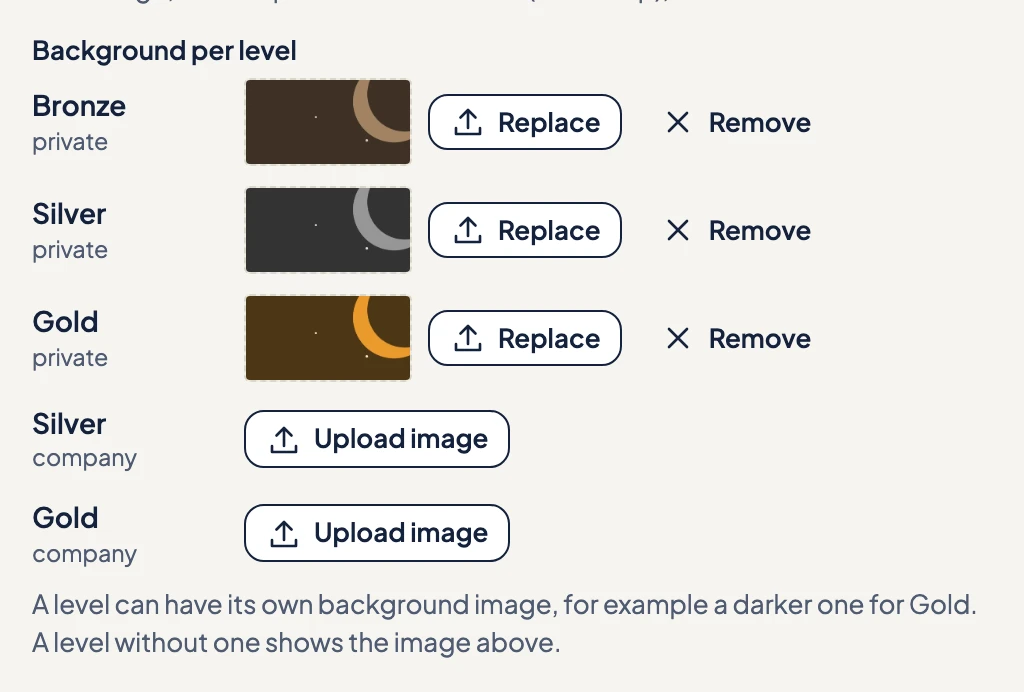
- Give each level a background image in the designer, so the card changes with the level (see Levels on the card below).
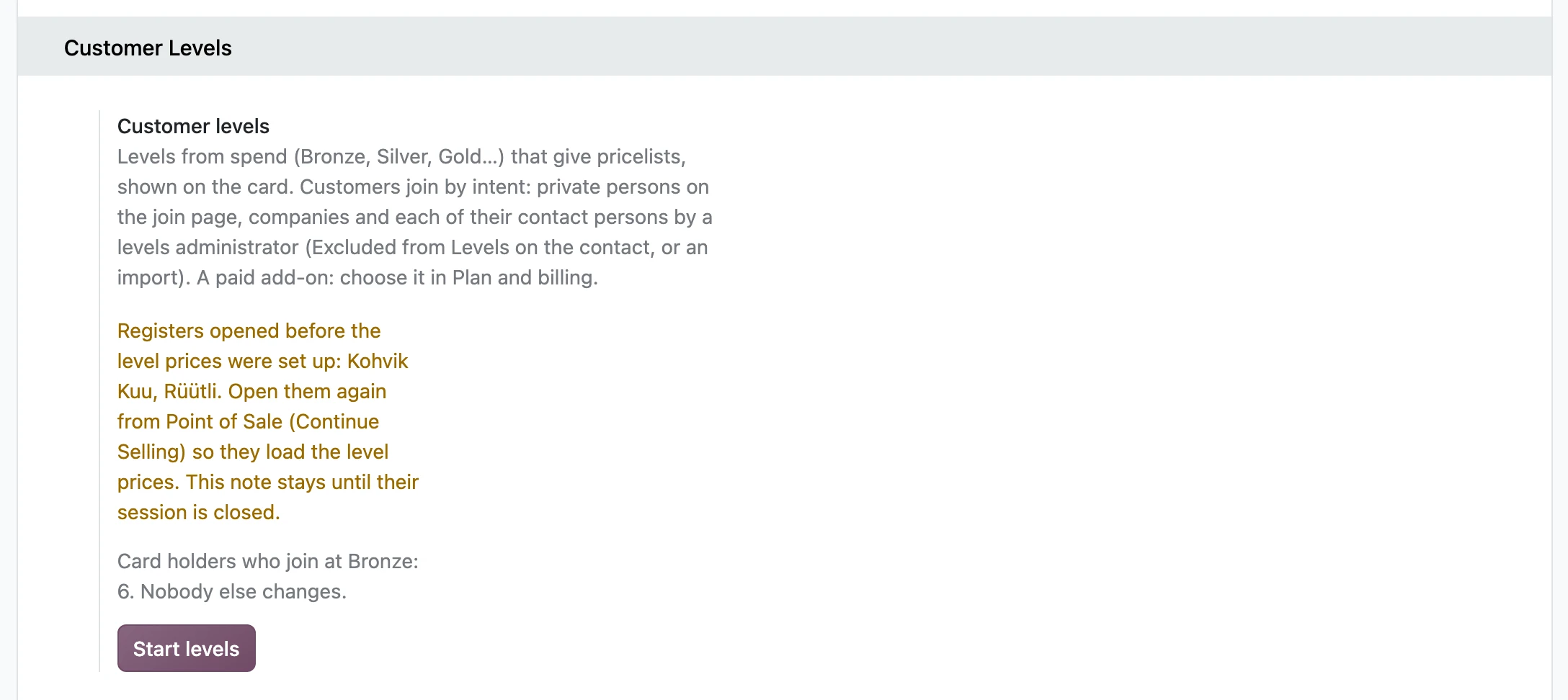
- In Settings → Tieroo, under Customer Levels, check the preview: it shows how many of today's card holders join, and at which level.
- Press Start levels.
Levels on the card
In the designer's Look step, Background per level takes an image for each level, so a Gold customer sees a Gold card. A level without its own image shows the main background image. Level above the preview shows the card at any level.
The level shows on the card only when your plan includes Customer Levels. Without it, Odoo still applies the levels and pricelists, and the card stays a points card.

Moving from points to levels
Installing the module changes nothing. Start levels does three things to today's Tieroo card holders who are private persons:
- they join at the lowest level, from that day;
- the level's pricelist replaces the pricelist they had;
- their card updates quietly, with their points kept. Nobody gets an email.
A customer with a special deal of their own should stay outside the levels: anyone in the levels always has the level's pricelist.
Registers opened before the levels
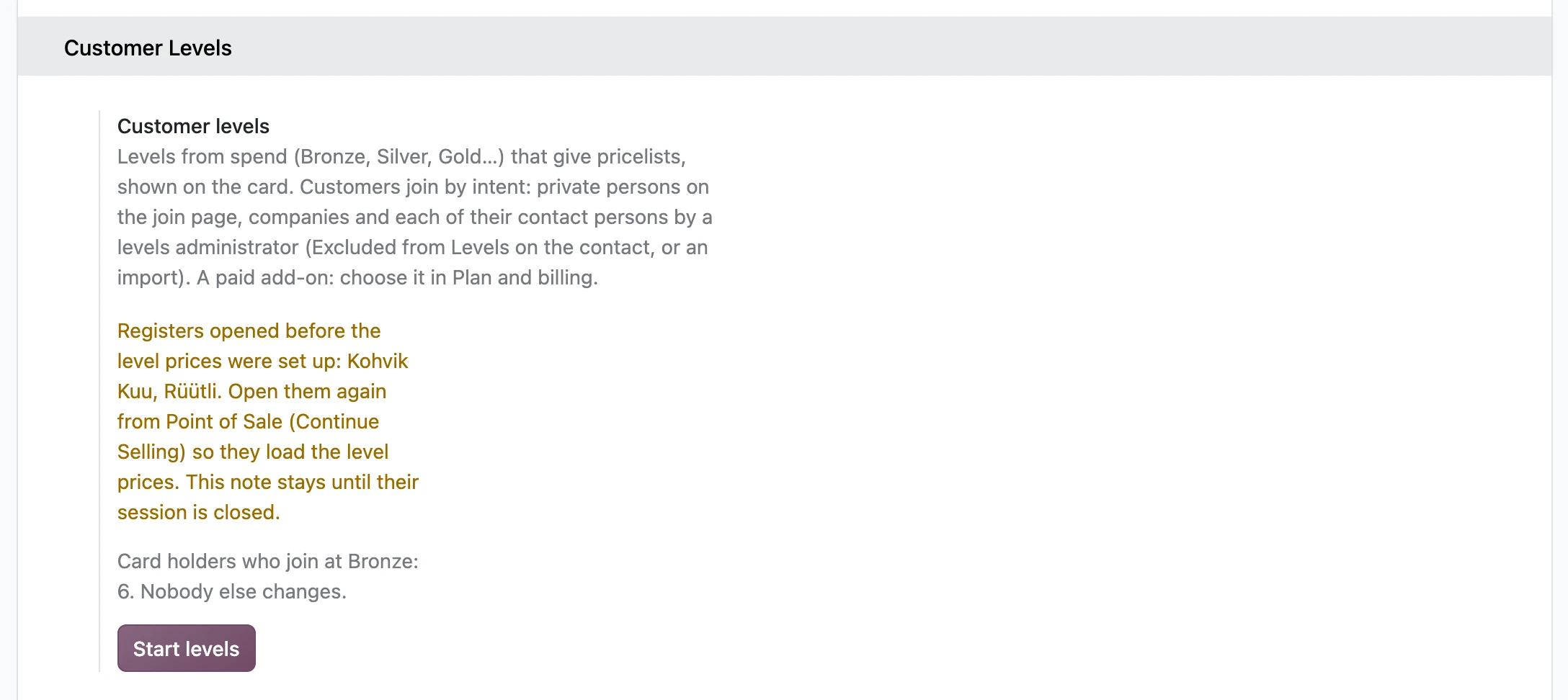
A POS session keeps the pricelists it loaded when it opened. If you set up Customer Levels while a register was open, Settings names the registers to reopen. Open Point of Sale in the back office and press Continue Selling on each: that loads the level pricelists.
Who joins
- A private person joins through the join page: the QR code in the shop, the link on your website, a tablet at the counter.
- A company, and each of its contact persons, is switched on by a levels administrator, by hand or by import. See Companies and their people.
- Buying does not join anyone. A buyer outside the levels still collects points in Odoo and gets the card when they join.
Everyone starts at the lowest level, from the day they join; earlier purchases do not count. The lowest level can start at 0, so joining is worth something by itself, such as 5% off.
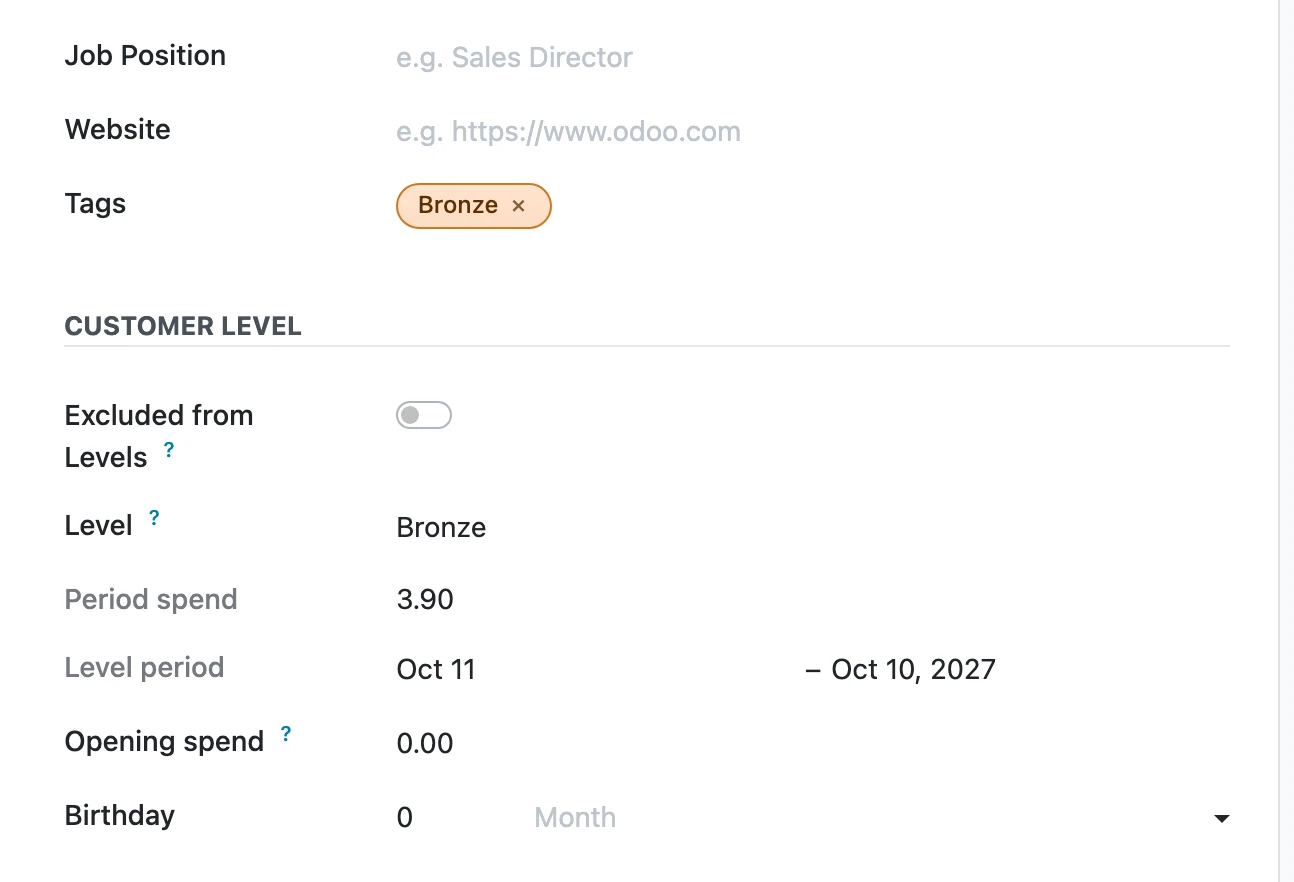
How the level changes
- Up at once, when a POS order is paid or an invoice is posted. The next sale in the same POS session already gets the new pricelist.
- Never down during the period. At the end of the period, the period's spend decides the next level, and a new period starts the next day.
The card shows the level, and how much more is needed to keep it: "Keep your level: €120", with "€120 more by 8 Oct 2027" on the back. Once that is spent, it shows until when the level is valid. A level that starts at 0 cannot drop, so there the card shows the points instead.
Every change goes to the contact's history: joining, leaving, and each new level with the spend that made it.
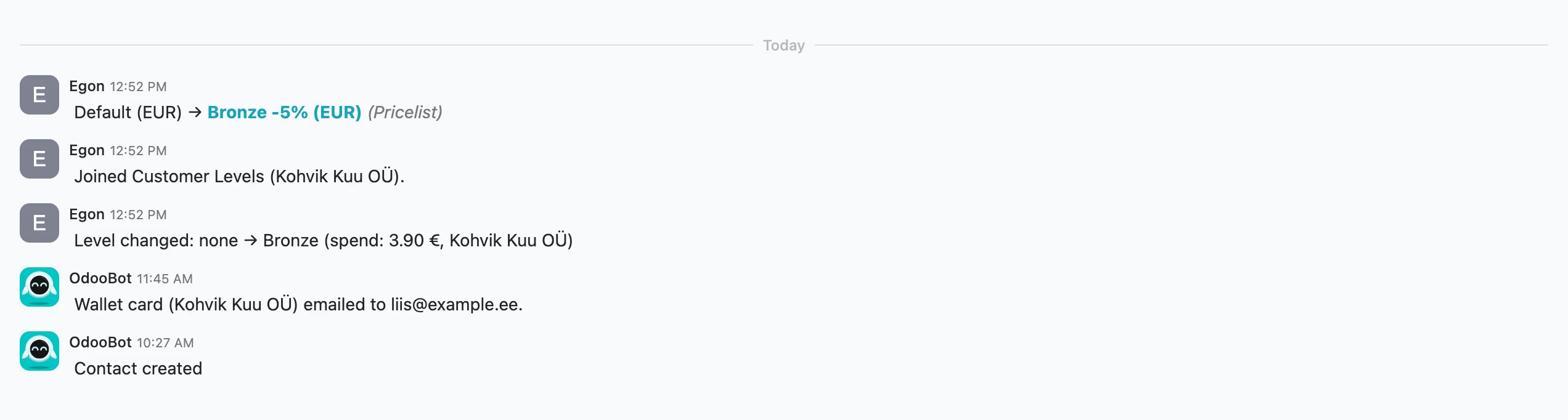
Recalculate all customers on the levels list recalculates every member in the background. A change shows in the contact's history.
Leaving
Tick Excluded from Levels on the contact. The level, its tag and its pricelist go, and the card closes. A customer who comes back starts again at the lowest level.
Rights
The right Customer levels: Administrator switches customers and companies on and off, starts the levels, and sets the period start, opening spend and level. Odoo administrators have it; give it to others in Settings → Users.