
Account and billing
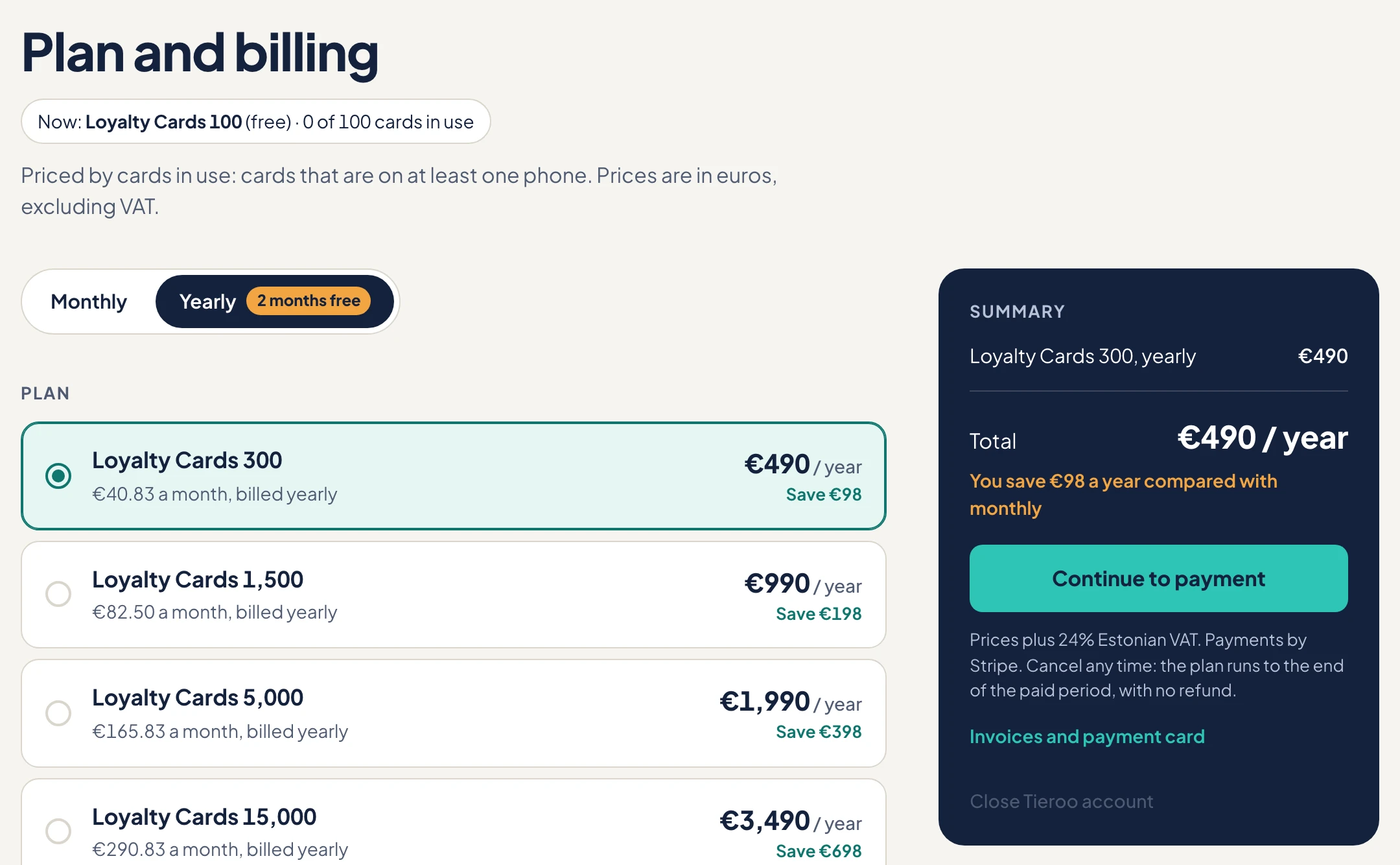
Plan and billing opens from Odoo: Settings → Tieroo → Plan and billing. Plan changes and cancelling start on that page; your payment card and invoices are in Stripe's customer portal, one click from there (Invoices and payment card).
Changing the plan
- A bigger plan, or Customer Levels added: at once. You pay the difference.
- A smaller plan, or a change between monthly and yearly: from your next period. There are no refunds.
Over the limit
When your cards in use go over the plan, Odoo shows it and Tieroo emails you. You have 14 days to choose a bigger plan. After that, new cards wait until you move up, and you get a second email. The cards your customers already have keep updating.
When a payment fails
Stripe tries again and reminds you. The service keeps working meanwhile, and Odoo shows a warning. Update your card in Stripe's portal. If every try fails, the subscription ends and you are on the free plan.
Cancelling the subscription
On the plan page choose the free plan and press Cancel subscription; Stripe asks you to confirm. The plan runs to the end of the paid period, then you are on the free plan. The free plan has room for 100 cards: with more, you get 14 days to choose a plan, after which only the 100 oldest cards keep updating.
Closing the account
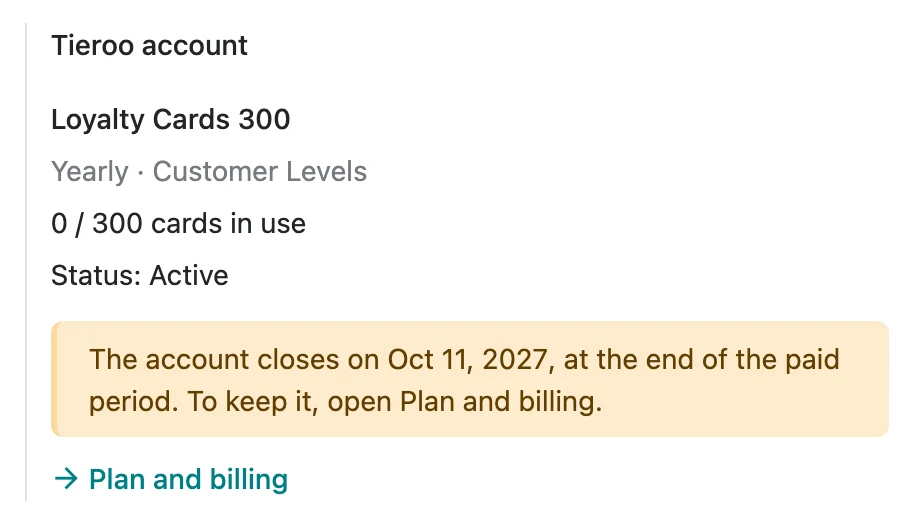
Close the account on the plan page. A paid plan runs to the end of its paid period first, and Odoo shows the closing date; until then you can keep the account from the plan page. When it closes, every card on the phones closes.
Opening it again
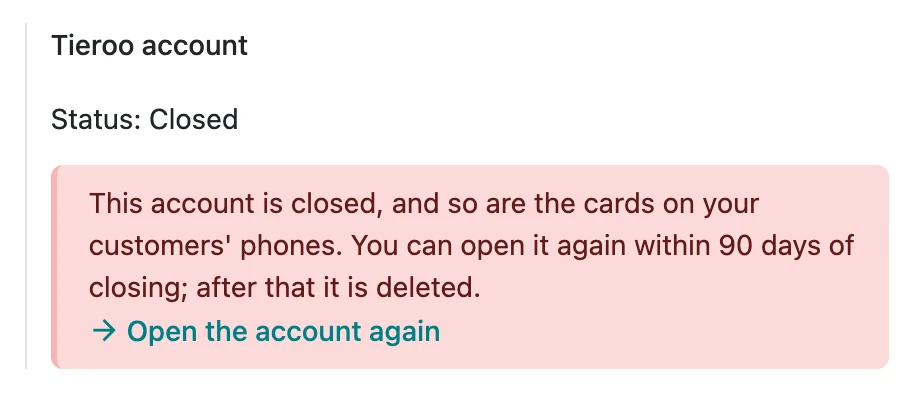
For 90 days after closing, the account can come back. In Settings → Tieroo, press Open the account again. It returns on the free plan, Odoo sends every card again, and you can choose a plan on the next page. After 90 days the data is deleted.
A suspended account
Tieroo suspends an account only for misuse, such as phishing or someone else's brand. The cards stop updating and Odoo cannot make new ones. Write to support@tieroo.com.